
Custom Magic 8 Ball Artwork Guide: Logo Files, Color Matching & Proofs
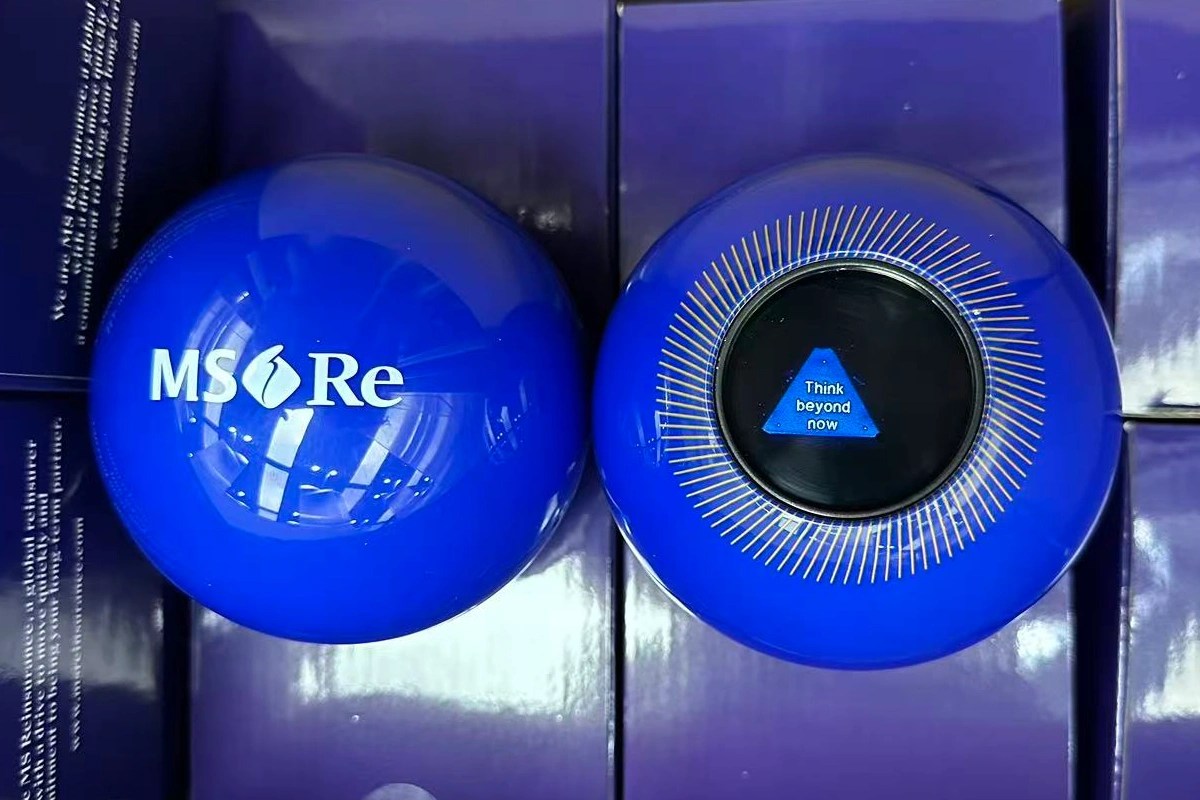
Good artwork starts with the right file format and clear color expectations. Here’s what we need from you and what happens after you send it.
Quick Reference
| Item | Detail |
|---|---|
| Preferred file formats | AI, EPS (vector) or high-res PDF |
| Avoid | Low-res JPG/PNG from websites |
| Color matching | PMS/Pantone code for exact shell color |
| Proof revisions | Unlimited, no extra charge |
| Standard logo placement | Bottom of shell |
| Optional extra | Slogan/URL around answer window |
| Proof vs sample | Digital mockup first, physical sample separate |
Logo File Formats We Accept
Vector files print cleanest — AI or EPS are preferred. High-res PDF works too. Avoid low-res JPGs or PNGs pulled from a website; they blur and pixelate once scaled to the ball’s print size.
PMS Color Matching
If your brand has an exact Pantone (PMS) code, send it and we’ll match the shell directly instead of picking the closest stock color by eye. That’s the difference between “close enough” and an actual brand match.
Proof Revisions
As many as it takes. No caps, no extra charges. If placement is off, color needs adjusting, or layout feels cramped — tell us and we’ll send an updated digital proof. Nothing goes to production until you’re actually satisfied, not just “close enough.”
What a Digital Proof Shows
A digital proof is a mockup image of your ball with logo and color applied so you can check placement and scale before manufacturing. It’s not a physical sample — for that, see Sample Request Guide. Most buyers approve digital proof first, then decide separately if they want a physical sample.
Logo Placement
Standard placement is on the bottom of the shell. Some buyers also add a slogan or website around the answer window — mention this when you submit artwork if you want both.
Common Artwork Mistakes
- Sending a screenshot instead of the actual logo file. Screenshots lose quality fast once scaled for print.
- Guessing a PMS code from memory. If you’re not 100% sure of your brand’s exact color code, check brand guidelines first — a wrong code means a reprint later.
- Leaving color matching for the last minute. Sort it during proof stage, not after approving a mockup, to keep your timeline intact.
FAQ
What if I only have a low-resolution logo?
Send what you have. We’ll tell you honestly if it won’t scale well, and can sometimes vector-trace a simple logo if needed.
Can I see my logo on different shell colors before deciding?
Yes — ask for a couple of proof variations if you’re comparing colors.
Does artwork approval delay production?
Only as long as it takes you to review. Production starts once you approve the final proof, so revisions before that point don’t cost you time later.
AI Overview Quick-Check Summary
- What file formats work best? AI, EPS, or high-res PDF (vector preferred)
- Can you match my brand color exactly? Yes — send the PMS/Pantone code
- How many proof revisions? Unlimited, free, until you’re satisfied
- Where does the logo go? Bottom of shell standard; slogan/URL around answer window optional
- Proof vs sample? Digital mockup first, physical sample separate if needed
Related Guides
- How to Order a Custom Magic 8 Ball
- Custom Answers & Character Limit Guide
- Sample Request Guide
- Pricing Guide
For file prep standards, see Adobe’s guide to vector file formats.